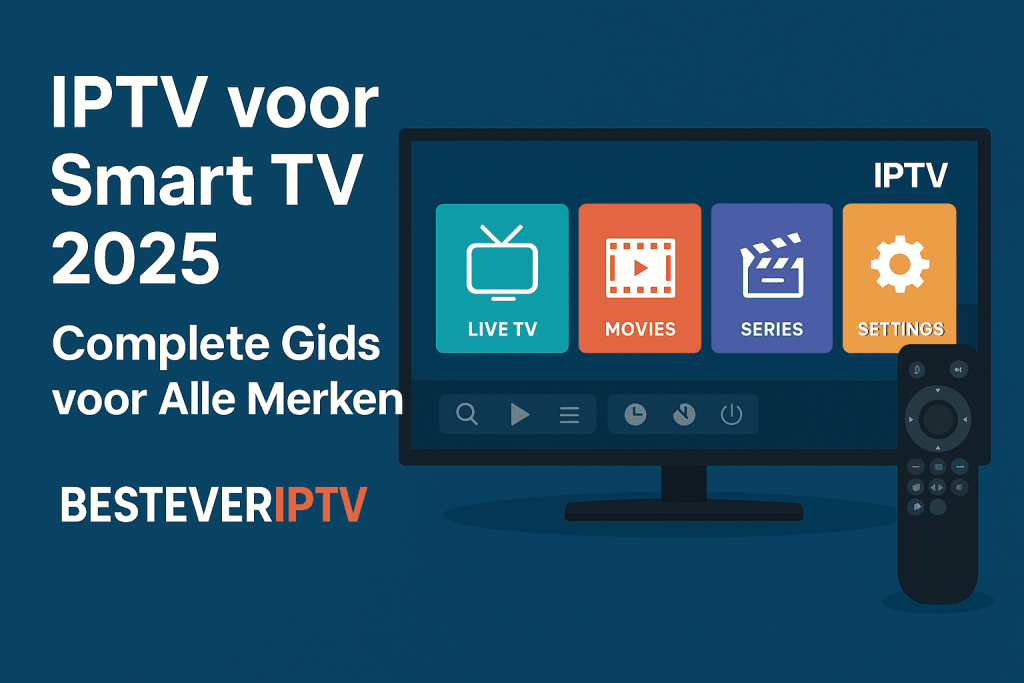
Why IPTV on your Smart TV is the Smartest Choice
By 2025, almost every household in the Netherlands will have a smart TV, but did you know you can get much more out of your television with IPTV? Forget expensive cable subscriptions and limited channel packages. With IPTV on your smart TV, you get access to thousands of international channels, on-demand content, and premium sporting events – all in crystal-clear HD and 4K quality.
Whether you have a Samsung, LG, Sony, Philips, or other smart TV, this comprehensive guide shows you exactly how to install and optimally use IPTV. In just 10 minutes, you'll be watching over 20,000 channels from the Netherlands, Belgium, Turkey, Morocco, and the rest of the world.
What is IPTV and How Does it Work on Smart TV?
IPTV (Internet Protocol Television) is a modern way to watch television using your internet connection instead of traditional cable or satellite. Your smart TV uses its built-in internet connection to receive streams directly, without any additional equipment.
The Benefits of IPTV on Smart TV
No Extra Hardware Needed
- No decoder or set-top box required
- Use the apps that are already on your TV
- Install and watch directly
Superior Image Quality
- HD and 4K streaming available
- Better compression than traditional cable
- Adaptive quality for your internet speed
Unlimited Content
- 20,000+ live television channels
- Video-on-demand library
- International channels from dozens of countries
- Sports, movies, series, news, documentaries
Cost-saving
- Up to 80% cheaper than cable TV
- No installation costs
- Flexible subscriptions without long-term contracts
User-friendly
- Using a trusted TV remote control
- EPG (Electronic Program Guide) for overview
- Create a favorites list
- Look back function up to 7 days
Installing IPTV on Different Smart TV Brands
Each smart TV brand has its own operating system, but the principle remains the same. Below you'll find detailed instructions for the most popular brands in the Netherlands.
IPTV on Samsung Smart TV (Tizen OS)
Samsung Smart TVs use the Tizen operating system. For the best IPTV experience, follow these steps:
Method 1: Via Smart IPTV App (Recommended)
Step 1: Install Smart IPTV App
- Press the “Home” button on your remote control
- Go to “Apps” in the main menu
- Search for “Smart IPTV” in the search bar
- Select the app and click “Install”
- Wait until installation is complete
Step 2: Activate App
- Open Smart IPTV for the first time
- You will see a MAC address on the screen (e.g. 00:1A:79:XX:XX:XX)
- Please note this MAC address carefully
- Go to siptv.eu/activation on your computer or phone
- Enter your MAC address and pay the one-time activation fee (€5.99)
- Activation takes 5-15 minutes
Step 3: Upload Playlist
- After activation, go to siptv.eu/mylist
- Upload your M3U playlist URL from BesteverIPTV
- Or upload an M3U file if you received one
- Click “Send” to send the playlist to your TV
Step 4: Loading Channels
- Go back to your Samsung TV
- Restart the Smart IPTV app
- Your channels load automatically
- This may take 1-2 minutes when first used
Step 5: Enjoy
- Use your remote control to zap through channels
- Press “EPG” for program guide
- Use the “Favorites” button to save frequently viewed channels
Method 2: Via SS IPTV (Free Alternative)
SS IPTV is a free app for Samsung Smart TVs, perfect for those who don't want to make a one-time payment:
- Download SS IPTV from the Samsung App Store
- Open the app and go to “Settings”
- Select “Content” → “External playlists”
- Click “Add” and enter your M3U URL
- Channels load automatically
- Ready to watch!
IPTV on LG Smart TV (webOS)
LG Smart TVs with webOS offer multiple IPTV options:
Method 1: SS IPTV for LG
Step 1: Download App
- Press the “Home” button (house icon)
- Click on “LG Content Store”
- Search for “SS IPTV”
- Install the app (free)
Step 2: Add Playlist
- Open SS IPTV
- Go to “Settings” (gear icon at bottom right)
- Select “Content” → “External playlists”
- Click on “Add” (+ symbol)
- Enter your M3U URL from BesteverIPTV
- Give the playlist a name (e.g. “BesteverIPTV”)
- Click “Save”
Step 3: View Channels
- Return to SS IPTV main menu
- You now see all your channels in categories
- Use remote control to navigate
- Press a channel to start
Method 2: Smart IPTV for LG
Installation is similar to Samsung:
- Download Smart IPTV from LG Content Store
- Note the MAC address that appears
- Activate via siptv.eu/activation
- Upload playlist via siptv.eu/mylist
- Restart app and enjoy
Method 3: GSE Smart IPTV (For Newer Models)
- Install GSE Smart IPTV from the store
- Open the app and click on “+”
- Select “Add M3U URL”
- Paste your BesteverIPTV playlist link
- Channels are loaded automatically
IPTV on Sony Smart TV (Android TV)
Sony uses Android TV, which offers more flexibility:
Method: IPTV Smarters Pro (Most Popular)
Step 1: Install IPTV Smarters
- Press the “Home” button
- Go to “Apps” → “Google Play Store”
- Search for “IPTV Smarters Pro”
- Click on “Install”
- Please wait until download is complete
Step 2: Configure App
- Open IPTV Smarters Pro
- Choose “Login with Xtream Codes API”
- Enter your BesteverIPTV details:
- Server URL/Address
- Username
- Password
- Click on “Add User”
Step 3: Start Watching
- App automatically loads all channels
- Navigate with remote control
- Use “Live TV” for live channels
- “Movies” and “Series” for on-demand
- “EPG” for program guide
Alternative: TiviMate (Premium Experience)
TiviMate is a premium IPTV player with an excellent interface:
- Download from Google Play Store
- Add playlist (M3U URL or Xtream)
- Enjoy a modern, fast interface
- Premium version (€5/year) offers extra features
IPTV on Philips Smart TV
Philips TVs often run Android TV (newer models) or Saphi OS (older models).
For Android TV Philips:
- Follow the same steps as Sony Android TV
- IPTV Smarters Pro works perfectly
- TiviMate is also a good option
For Saphi OS Philips:
- Use SS IPTV (available in Philips App Gallery)
- Or consider an external Android TV box
- Saphi has limited app support
IPTV on Other Smart TV Brands
Hisense (VIDAA OS or Android TV)
- Android TV models: use IPTV Smarters
- VIDAA OS: limited apps, use browser method or external box
TCL (Android TV or Roku TV)
- Android TV: IPTV Smarters or TiviMate
- Roku TV: Limited IPTV support, external box recommended
Panasonic (My Home Screen)
- Limited native IPTV apps
- Best option: buy Android TV box
Sharp, Toshiba, Grundig
- Mostly Android TV → use IPTV Smarters
- Older models: external solution required
Best IPTV Apps for Smart TV in 2025
Not all IPTV apps are created equal. Here are the best options in each category:
Top 3 Free IPTV Apps
1. SS IPTV
- ✅ Completely free, no hidden costs
- ✅ Available for Samsung and LG
- ✅ Simple interface
- ✅ Good EPG support
- ✅ Stable performance
- ❌ Basic features, no premium features
- ❌ Sometimes advertising
2. Smart IPTV
- ✅ One-time payment €5.99 (lifetime)
- ✅ No monthly fees
- ✅ Excellent quality
- ✅ Good customer service
- ✅ Regular updates
- ❌ Not entirely free
- ❌ Activation process required
3. GSE Smart IPTV
- ✅ Free basic version
- ✅ Modern interface
- ✅ Many setting options
- ✅ Multiple playlist support
- ❌ Premium version for all features
- ❌ Not available on all TV brands
Top 3 Premium IPTV Apps
1. IPTV Smarters Pro
- ✅ Professional interface
- ✅ Excellent EPG
- ✅ Multi-screen support
- ✅ VOD and Series library
- ✅ Fast zapping
- ✅ Catch-up TV function
- 💰 Often free, sometimes small fee
2. TiviMate
- ✅ Best interface of all
- ✅ Very fast performance
- ✅ Premium EPG experience
- ✅ Recording function (with premium)
- ✅ Multiple playlists at once
- 💰 €5-7 per year for premium
3. Perfect Player IPTV
- ✅ Highly customizable
- ✅ Lightweight app
- ✅ Good performance
- ✅ Extensive settings
- ❌ Less user-friendly for beginners
- 💰 One-time payment for premium
Step-by-Step: First-Time IPTV Setup
If you've never used IPTV before, follow these general steps:
Preparation (5 minutes)
1. Check Your Internet
- Minimum 10 Mbps for HD
- 25+ Mbps recommended for 4K
- Test your speed at speedtest.net
- Preferably use wired internet (ethernet)
2. Choose Your Subscription
- Go to BesteverIPTV prices
- Choose term: 3, 6 or 12 months
- Recommended: 12 months for best price (€49.99)
3. Receive Your Data
- Check your email inbox
- You get:
- M3U Playlist URL
- Xtream Codes (username, password, server)
- Installation manual
- Please keep this information safe
Installation (10 minutes)
1. Download IPTV App
- Go to the app store of your Smart TV
- Search for recommended app (SS IPTV, Smart IPTV, or IPTV Smarters)
- Install the app
2. Configure App
- Open the installed app
- Choose your input method:
- M3U URL → paste your playlist link
- Xtream Codes → enter server, username, password
- Save and wait
3. Loading Channels
- First time charging takes 1-2 minutes
- 20,000+ channels are synchronized
- EPG data is being downloaded
4. Customize Interface
- Set favorites
- Sort channels by country/category
- Adjust image quality if necessary
Optimization (5 minutes)
1. Test Different Channels
- Check if HD channels are running smoothly
- Test different countries/categories
- Check EPG information
2. Set Favorites
- Add your most watched channels
- Create categories (sports, news, movies)
- Quick access with remote control
3. Configure Settings
- Buffer settings (if available)
- Language preferences
- Subtitle options
- Parental controls if desired
Common Problems and Solutions
Problem 1: Buffering or Stuttering
Possible Causes:
- Slow internet connection
- Too many devices on wifi
- Server overload
- Incorrect app settings
Solutions: ✅ Upgrade your internet to at least 20 Mbps ✅ Use ethernet cable instead of wifi ✅ Turn off other devices while watching ✅ Lower stream quality temporarily in app settings ✅ Choose alternative server if available ✅ Restart your router for a fresh connection ✅ Update your IPTV app to the latest version
Problem 2: Channels Not Loading
Possible Causes:
- Incorrect login details
- Expired subscription
- App not configured correctly
- Firewall blocks connection
Solutions: ✅ Check your details – type exactly from email ✅ Check subscription status – is it still active? ✅ Reinstall the app for a fresh start ✅ Test with another app to isolate problem ✅ Contact BesteverIPTV support for verification
Issue 3: EPG (Program Guide) Not Working
Possible Causes:
- EPG URL not set
- Time zone wrong
- Server sync problem
Solutions: ✅ Check EPG URL in app settings ✅ Set correct time zone in (Amsterdam/CET) ✅ Force EPG update in app menu ✅ Wait 24 hours – EPG data sometimes loads with delay
Problem 4: Picture But No Sound
Possible Causes:
- Audio codec not supported
- TV volume settings
- HDMI audio problems
Solutions: ✅ Check TV volume and mute status ✅ Change audio output in TV settings ✅ Test with another channel – is the problem universal? ✅ Restart Smart TV for audio reset ✅ Update TV firmware to the latest version
Issue 5: App Crashes or Fries
Possible Causes:
- Insufficient memory
- Outdated app version
- TV firmware problems
Solutions: ✅ Close other apps that run in the background ✅ Clear app cache in TV settings ✅ Update the IPTV app to the latest version ✅ Update TV firmware (Settings → Software Update) ✅ Factory reset app – remove and reinstall ✅ Try alternative app if problem persists
Tips for the Best IPTV Experience on Smart TV
Internet Optimization
Use Wired Connection
- Wifi can be variable
- Ethernet provides stable speed
- Use at least Cat5e cable
- Avoid Wi-Fi during important broadcasts
Router Position
- Place the router centrally in the house
- Not behind metal objects
- Elevated position works better
- At least 3 meters from TV (if using Wi-Fi)
Speed Test Regularly
- Use speedtest.net
- Test at different times
- Download AND upload important
- Contact provider for structural problems
Smart TV Optimization
Firmware Always Up to Date
- Check monthly for updates
- Enable automatic updates
- Newer firmware = better performance
Keep Storage Space Free
- Remove unused apps
- Clear cache regularly
- Keep at least 1GB free
Energy Saving Turn Off
- TV remains at full performance
- No sudden dimming
- Better streaming experience
Improve Viewing Experience
Organize Your Channels
- Create a favorites list
- Group by country/category
- Dutch channels at the top
- Sports channels together
Use EPG Efficiently
- Check programs in advance
- Set reminders
- Schedule viewing sessions
Discover New Content
- Explore international channels
- Try different categories
- Use search function in app
Multi-room Setup
- IPTV works on multiple devices
- Tablet/phone in other rooms
- Use the same subscription (1 screen at a time)
BesteverIPTV: Perfect for Smart TV Users
BesteverIPTV is specially optimized for Smart TV use. Here's why we're the best choice:
Our Unique Benefits
✅ Plug & Play Solution
- No technical knowledge required
- Clear instructions per TV brand
- 24/7 Dutch support chat
✅ Optimal for Smart TVs
- Streams optimized for TV apps
- High bitrate for big screen
- Perfect EPG synchronization
✅ Huge Content Library
- 20,000+ live channels
- Dutch, Belgian, Turkish, Moroccan channels
- International sports and entertainment
- VOD with 10,000+ movies and series
✅ Premium Quality
- HD and 4K streams available
- 99.9% uptime guarantee
- Multiple backup servers
- No buffering during prime time
✅ Affordable Prices
- From €4.17 per month (for 12 months)
- No hidden costs
- No extra fees for HD/4K
- No installation costs
BesteverIPTV Subscriptions for Smart TV
| Duration | Price | Per month | Ideal For |
|---|---|---|---|
| 3 months | €19,99 | €6,66 | Trying and testing |
| 6 months | €29,99 | €5,00 | Six months without worries |
| 12 months | €49,99 | €4,17 | Best deal! Enjoy all year round |
What Do You Get?
✅ Complete Channel Package
- All Dutch channels (NPO, RTL, SBS, etc.)
- Belgian channels (Flemish & Walloon)
- Turkish channels (TRT, ATV, Show TV, etc.)
- Moroccan channels
- International sports channels
- Premium movie and series channels
✅ Smart TV Features
- EPG program guide (7 days ahead)
- Look back up to 7 days ago
- Catch-up TV functionality
- Multi-format support (M3U + Xtream)
✅ Reliable Service
- 24/7 Dutch customer service
- Active immediately after payment
- No contract obligation
- Easy to cancel
✅ Technical Support
- Installation help for every TV brand
- Troubleshooting within 1 hour
- Remote support if needed
- Extensive FAQ and manuals
Special Smart TV Bonus
With every subscription you get: 📱 Free mobile app access – Also check on your phone/tablet 📖 Detailed installation guide – For your specific TV brand 🎯 Personal setup assistance – Via chat or phone 🔄 Free playlist updates - Always new channels added
Frequently Asked Questions about IPTV on Smart TV
❓ Does IPTV work on every Smart TV?
Yes, IPTV works on almost all smart TVs, but the installation method varies by brand. Samsung, LG, Sony, and Philips have the best app support. Older smart TVs (from before 2016) may have limited compatibility. In that case, an Android TV box is a good solution.
❓ Do I need a separate box for IPTV on Smart TV?
No, modern Smart TVs (2018 and newer) have IPTV apps that you can download directly. An external box is only required for:
- Very old Smart TVs without an app store
- TVs with limited operating systems (some budget brands)
- If you want extra features like recording
❓ How much internet speed do I need?
For optimal IPTV on Smart TV we recommend:
- SD quality: minimum 5 Mbps
- HD quality: minimum 10-15 Mbps
- 4K quality: minimum 25-30 Mbps
A stable connection is more important than top speed. Wired (Ethernet) provides better results than Wi-Fi.
❓ Can I use IPTV on multiple Smart TVs?
Our standard subscription is for one device at a time. You can log in on multiple devices (TV, tablet, phone), but you can't watch simultaneously. This keeps the service reliable and affordable for everyone.
❓ Is IPTV legal in the Netherlands?
IPTV itself is completely legal. Legality depends on the content being offered. BesteverIPTV offers legal streams from international channels and works with official content providers. We respect all copyrights and broadcasting rights.
❓ What if my Smart TV doesn't have the app?
If your Smart TV doesn't have the recommended IPTV app in the store, there are alternatives:
- Try another IPTV app from your app store
- Use the built-in browser with a web player
- Consider purchasing an Android TV box (€30-50)
- Contact our support for app alternatives
❓ Can I pause and rewind IPTV?
Yes! Most IPTV apps support:
- Pause live TV – Pause and continue where you left off
- Rewind – Rewind during live broadcast
- Catch-up TV – Watch missed programs up to 7 days ago
- Recording – Recording (not in all apps)
❓ What happens if I have a bad internet connection?
With varying internet speed:
- App automatically adjusts quality (adaptive streaming)
- Lower resolution prevents buffering
- In case of total failure, the stream stops and resumes automatically
- Buffer function helps absorb minor hiccups
❓ How do I update my channel list?
Your channel list is automatically updated by BesteverIPTV:
- New channels are being added
- Non-working channels removed
- EPG information always up to date
- Updates are done server-side, no action required from you
❓ Can I use Netflix and IPTV on the same TV?
Absolutely! IPTV works alongside other apps:
- Easily switch between apps with the Home button
- Use IPTV for live TV and sports
- Netflix/Prime for their original series
- Best of both worlds
❓ What if I have technical problems?
BesteverIPTV offers extensive support:
- 24/7 live chat for immediate assistance
- Email support for less urgent questions
- Phone support (Dutch times)
- Extensive FAQ on our website
- Video tutorials for installation
- Average response time: under 1 hour
Comparison: IPTV vs Traditional TV on Smart TV
Let's honestly compare why IPTV on Smart TV is better than traditional options:
Complete Comparison Table
| Aspect | Traditional Cable | Satellite TV | BesteverIPTV |
|---|---|---|---|
| Monthly Costs | €40-80 | €30-60 | €4,17-6,66 |
| Installation costs | €50-150 | €100-200 | €0 |
| Additional Equipment | Decoder needed | Dish + decoder | No |
| Number of Transmitters | 50-150 | 100-200 | 20.000+ |
| HD/4K Channels | Limited/Extra costs | Limited/Extra costs | Inclusive |
| International Broadcasters | Very limited | Limited | Extensive |
| On-Demand Content | Limited | Very limited | 10,000+ titles |
| Looking back | 3-7 days | Seldom | 7 days |
| Contract duration | Often 12-24 months | Often 12-24 months | 3-12 months flexible |
| Come on Holiday | No | No | Yes (worldwide) |
| Multi-device | Limited | No | Yes |
| Setup Time | Technician needed | Technician needed | 10 minutes by yourself |
| Weather dependent | No | Yes (storm problems) | No |
Costs Over 1 Year
Traditional Cable:
- Subscription: €50/month × 12 = €600
- Installation: €100
- Total: €700
Satellite TV:
- Subscription: €40/month × 12 = €480
- Installation: €150
- Total: €630
BesteverIPTV (12 months):
- Subscription: €49.99
- Installation: €0
- Total: €49.99
💰 Savings: €580-650 per year!
Conclusion: Smart TV + IPTV = Perfect Combination
In 2025, combining a smart TV with IPTV will be the smartest choice for modern entertainment. You get all the benefits of modern technology without the high costs of traditional TV services.
Why BesteverIPTV is Perfect for Your Smart TV
✅ Easy Installation – Watch on any Smart TV within 10 minutes ✅ Huge Savings – Up to €650 per year cheaper than cable ✅ 20,000+ Channels – Dutch, Belgian, Turkish, Moroccan and worldwide content ✅ HD & 4K Quality – Make optimal use of your modern TV ✅ 24/7 Support – Dutch customer service always available ✅ No Hidden Costs – Transparent prices, no surprises ✅ Flexible Subscription – No long-term contracts, stop whenever you want
Your Next Steps
Step 1: Choose your subscription – 3, 6 or 12 months Step 2: Receive your login details immediately after payment Step 3: Follow our installation guide for your TV brand Step 4: Enjoy 20,000+ channels in HD/4K quality
Special Tip for New Customers
🎯 Start with a 12-month package – Best value for money (€4.17/month) 📱 Download the app first – Test the interface before you start 🔧 Contact support if you have any questions – We are happy to help you with setup ⭐ Set favorites – Create your own personal channel list
No Risk, Maximum Results
With BesteverIPTV you have:
- ✅ Direct access after payment
- ✅ Money-back guarantee for technical problems
- ✅ No automatic renewal
- ✅ Dutch customer service
- ✅ Regular updates and improvements
🎬 Ready to take your Smart TV to the next level?
Useful Links
📺 View All Subscriptions 📖 Complete Installation Guide 📝 More IPTV Tips & Tricks 🏠 Back to Homepage
BesteverIPTV – The Smartest Choice for Your Smart TV
20,000+ channels | HD & 4K quality | 24/7 Dutch support | From €19.99
Transform your Smart TV today with BesteverIPTV! 📺✨
 English
 Nederlands
 Nederlands (België)
 Français