
1. Please download Ibo Player.

2. Open it and then send us a screenshot like this : (Whatsapp)
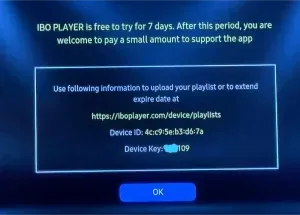
3- Please unplug your device from the electricity and restart it.
4- Enjoy it!
1. Please download SET IPTV.
2. Open it and then send us a screenshot like this : (Whatsapp)
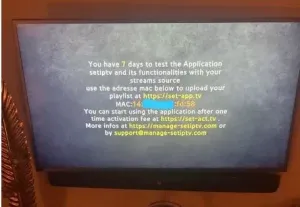
3- Please unplug your device from the electricity and restart it.
4- Enjoy it!
1- Open the Smart IPTV application on your smart TV and your TV's MAC address will appear, which you need to activate on the Smart IPTV website.
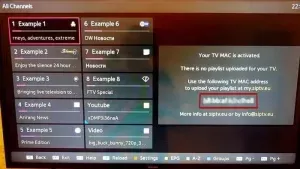
2- Go to the Smart IPTV website to activate your subscription. Here's the link: http://siptv.eu/mylist
3. Enter your Mac address and the m3u link you received by email and press "Send." Your subscription to the Smart IPTV app will then be activated.
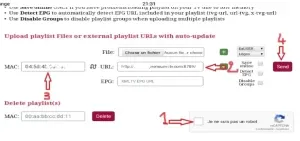
5- Restart the Smart IPTV application and wait for the channel list to download.
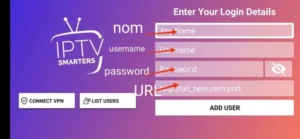
1. Please download Smarters Player Lite.

2- Click XC API
3- Enter your username, password and URL and click ADD USER
1. Please download Ibo Player PRO.
2. Open it and then send us a screenshot like this : (Whatsapp)
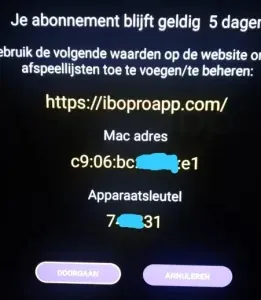
3- Please unplug your device from the electricity and restart it.
4- Enjoy it!
1. Please download TiviMate.

2. Open the application, go to this screen and select “Xtream Codes”.
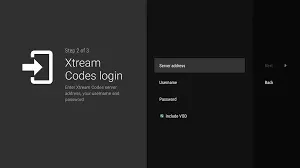
3. Enter the server URL, username, and password you received from us via email.
1. Please download Ibo Player PRO.
2. Open it and then send us a screenshot like this : (Whatsapp)
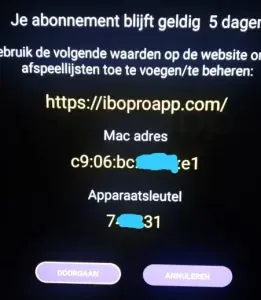
3- Please unplug your device from the electricity and restart it.
4- Enjoy it!
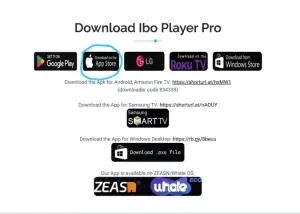
1. Go to https://iboproapp.com
2. Please download IBO Player PRO.
3. Open it and then send us a screenshot like this : (Whatsapp)
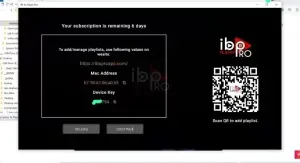
4– Please unplug your device from the power and restart it.
5. Enjoy!
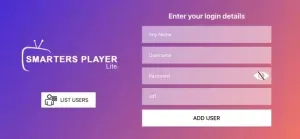
1. Please download Smarters Player Lite. (App Store)

2- Click XC API
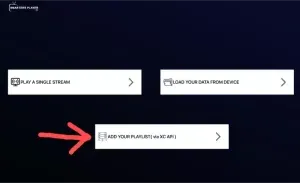
3- Enter your username, password and URL and click ADD USER
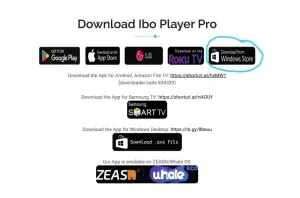
1. Go to https://iboproapp.com
2. Please download IBO Player PRO.
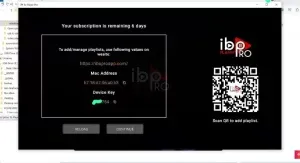
3. Open it and then send us a screenshot like this : (Whatsapp)
4– Please unplug your device from the power and restart it.
5. Enjoy!
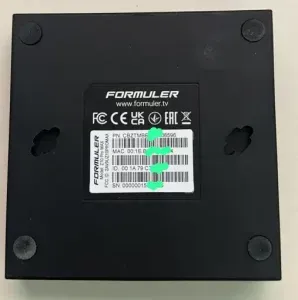
1. Check the back of your Formuler Z TV box where the Mac ID number is indicated.
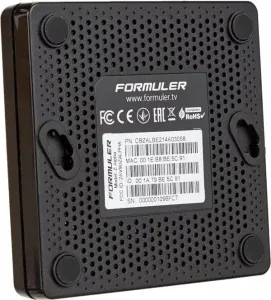
2. Send us a photo of the MAC address of your Formuler box via WhatsApp.
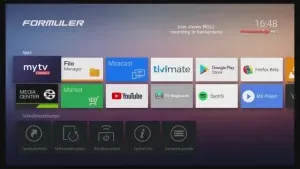
You can also find it in the MyTvOnline app.
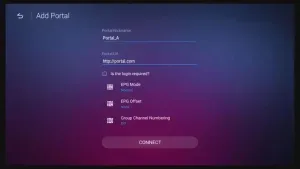
3. We'll send you the portal URL. Make sure you enter the portal URL in the MyTvOnline app (no username or password required).
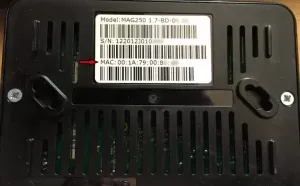
1. Go to the back of your Mag where the Mac ID (or Mac address) is indicated and send us a photo on WhatsApp like this:
2. Go to Settings, then System Settings, then Servers, then Portal.
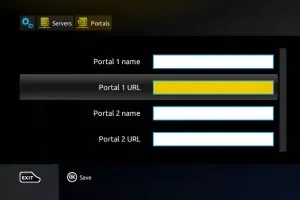
3. Enter the portal URL we will provide you.
4. Please unplug your device from the power and restart it.
5. Enjoy!
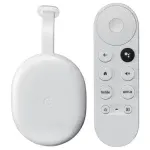
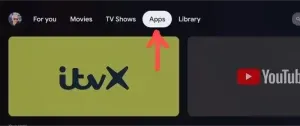
1. Open Google TV
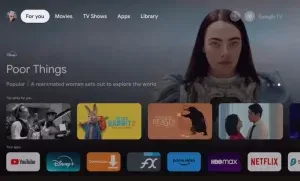
2. Click Apps
3. Search: ibo player
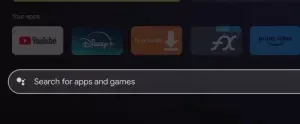
4. Download IBO Player PRO
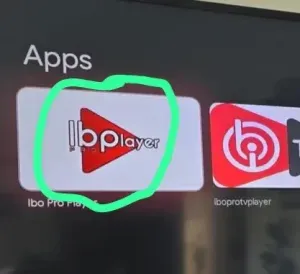
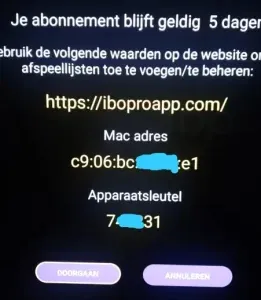
5. Open it and then send us a screenshot like this : (Whatsapp)
6. Please unplug your device from the power and restart it.
7. Enjoy!
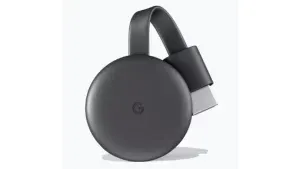
Set up your Google Cast device:
1. Insert your Google Cast (Chromecast) dongle into an available HDMI port on your TV.
2. Power the Chromecast using the included USB cable and power adapter or via a USB port on your TV.
3. Connect your TV and device to the same Wi-Fi network:
Make sure both your TV with the Google Cast device and the device you want to use for casting are connected to the same Wi-Fi network.
4. Install a compatible IPTV app:
Install an IPTV app that supports casting on your smartphone, tablet, or computer (IPTV Smarters Pro / Smarters Player Lite).
5. Open the IPTV app on your device.
6. Connect and Cast:
Look for the cast icon in the IPTV app. Tap the cast icon and select your Google Cast device (Chromecast).
















 English
 Nederlands
 Nederlands (België)
 Français